
Plans for the whole organization
without waiting for MS Project
Open your existing .mpp files right away, plan like a pro, and let the team and executives see the same plan — on your own server.

What PMs and executives face every day
Only a few PCs have MS Project — nobody else can open the .mpp, so the plan lives with one PM
Executives want every project at once, but get a PDF that is already out of date
The team doesn't report progress, because it means e-mailing an Excel back to the PM
You learn a project is late or over budget when it is too late to act
 Nexus Plan
- Reads .mpp from Project 2000–2016, no MS Project needed
- Tasks, links, resources, calendars and baselines come across
- Import / export XML that MS Project opens
- Import plans from Microsoft Planner (Excel)
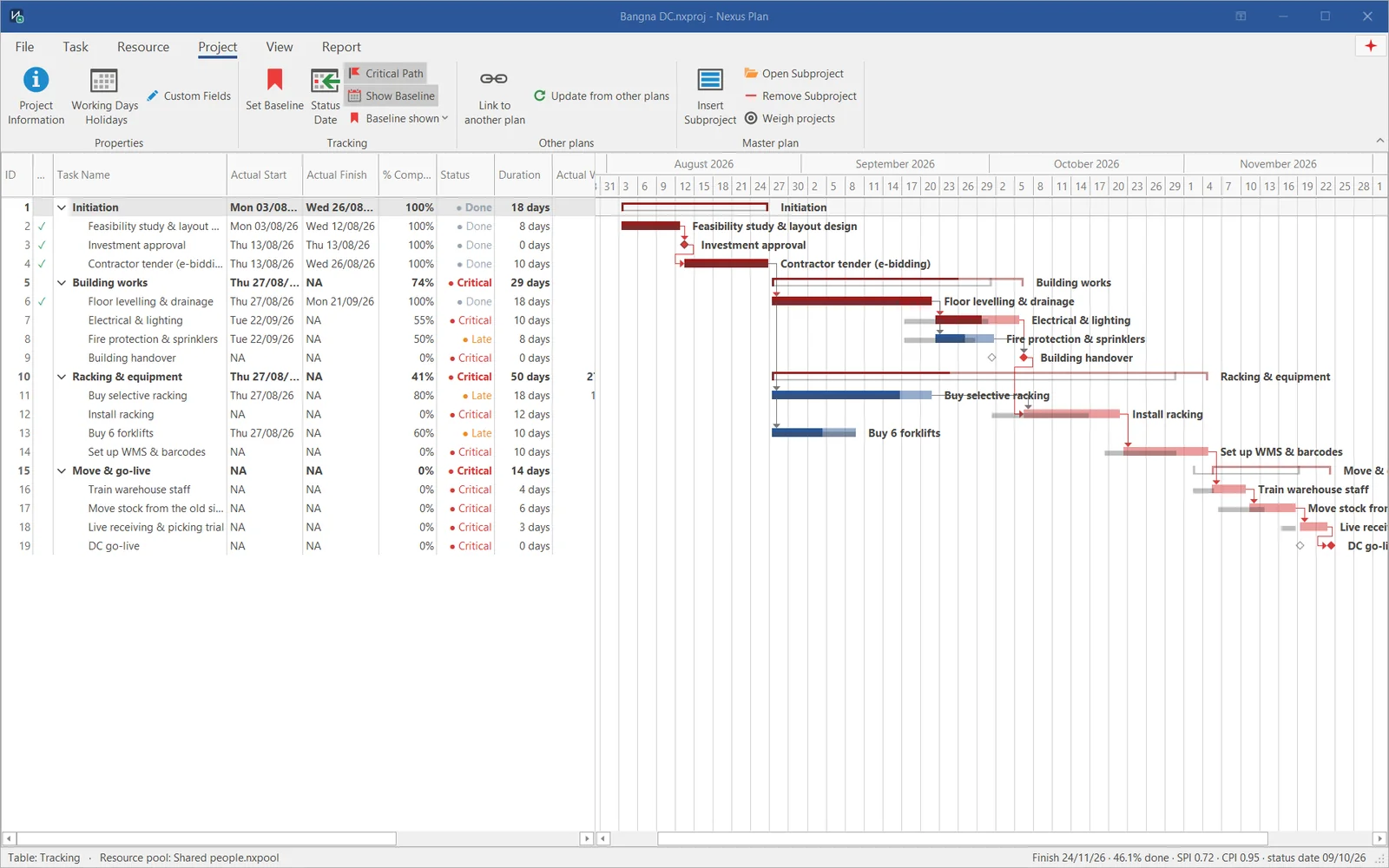
All the scheduling a PM is used to
Gantt, drag and drop
Drag bars, stretch, draw links and split tasks with the mouse
4 link types + lag
FS · SS · FF · SF with leads and lags
Critical path
See the critical path and every task's slack
Thai holiday calendars
Public holidays, alternate Saturdays, each person's leave
Part-day durations
0.5 day or 4 hours, as in MS Project
11 baselines
Compare today's plan with the original, see the slip
Constraints + deadlines
Must Start On, ALAP, deadlines, with conflict warnings
Plan wizard
SDLC · Agile · PRINCE2 · Hybrid templates, tailored by AI
Nexus Plan- See the critical path and every task's slack
- FS · SS · FF · SF with leads and lags
- Compare today's plan with the original, see the slip
- Public holidays, alternate Saturdays, each person's leave
 Nexus Plan
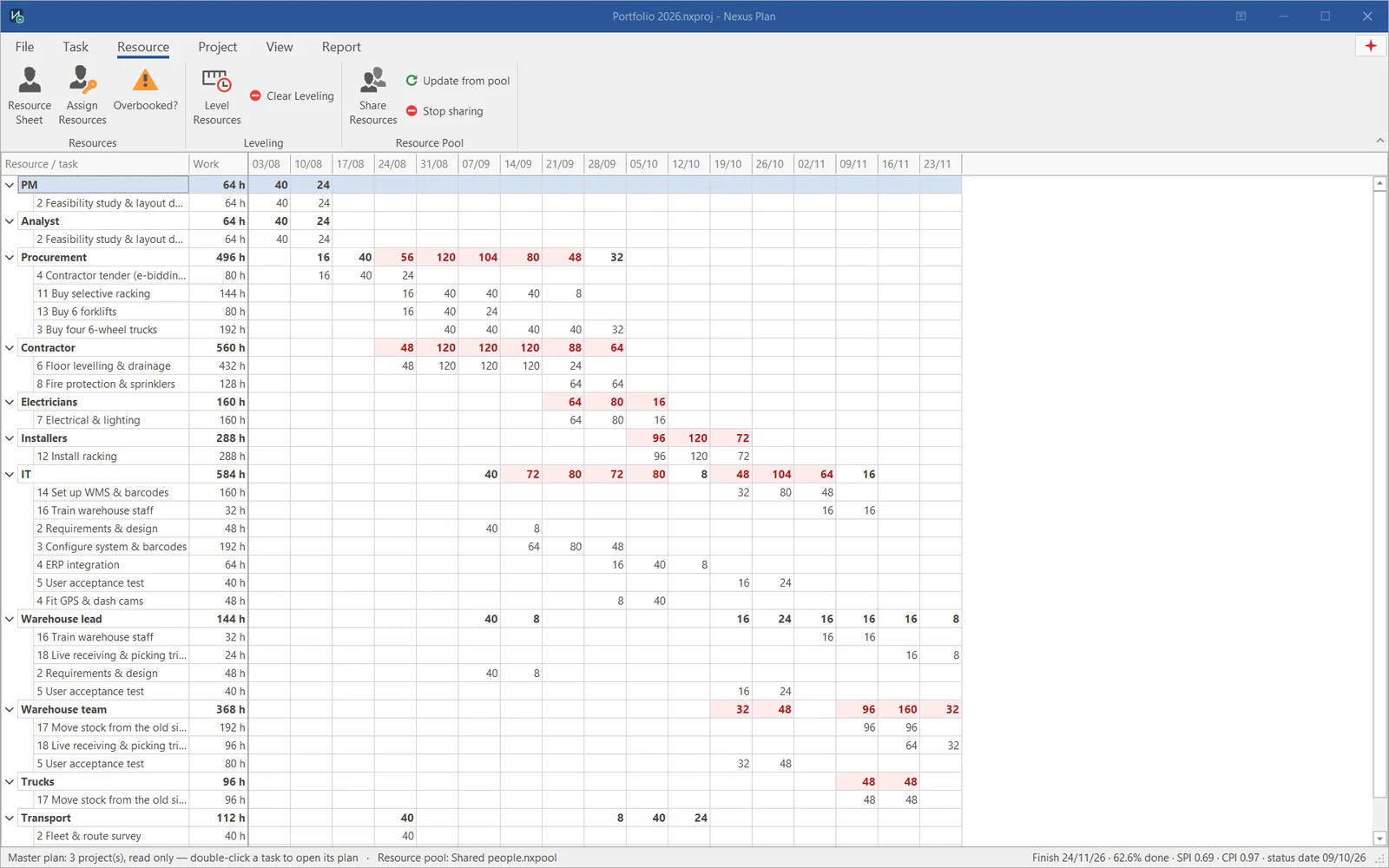
- One resource pool shared by many projects
- Team Planner and Resource Graph show who is overloaded
- Leveling moves work so loads fit automatically
- Cost from real hours × rates
 Nexus Plan
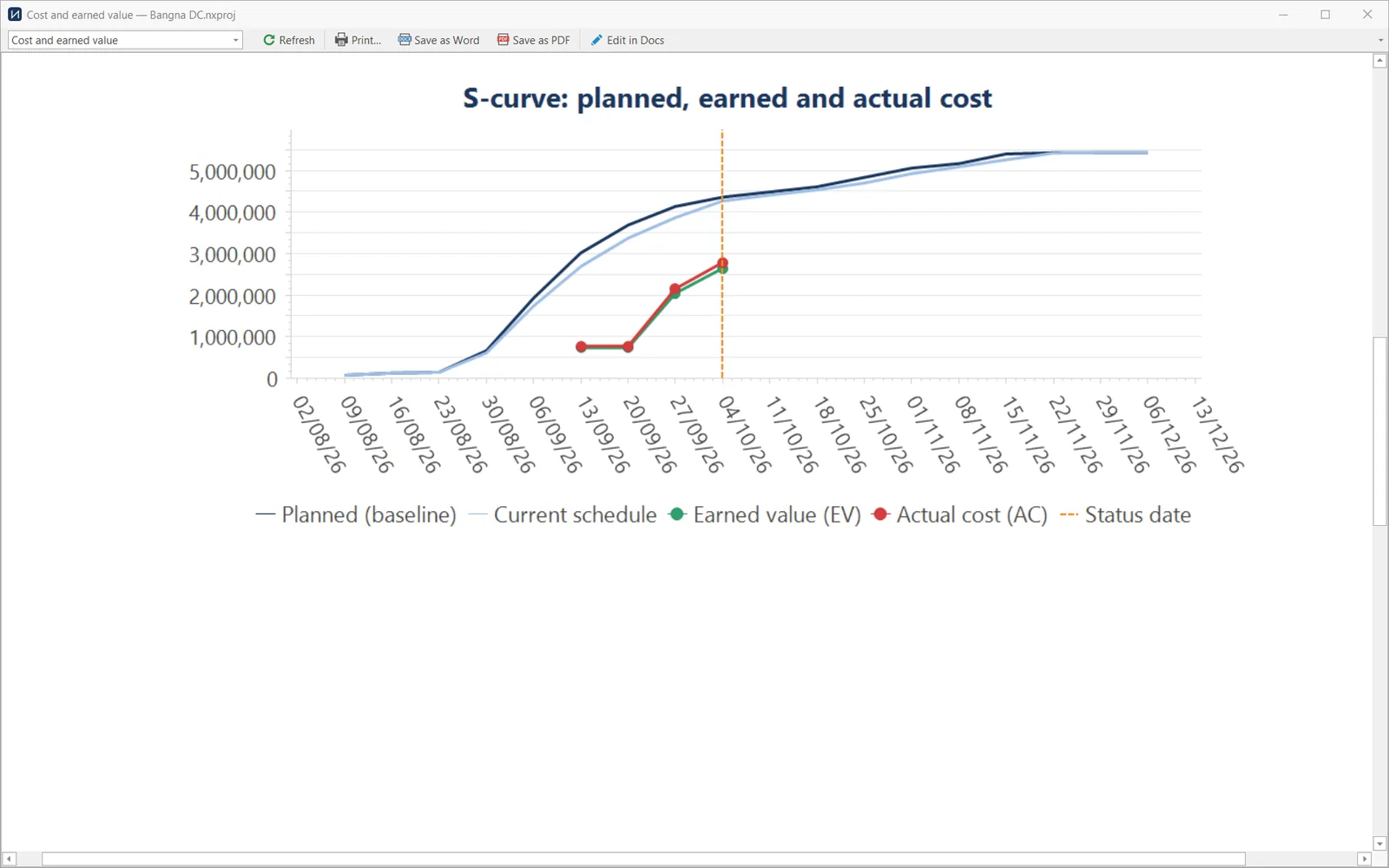
- Earned value: PV · EV · AC · SPI · CPI · EAC
- S-curve of plan, work done and money spent
- Reports to print, Word or PDF in one click
- Green, amber, red status from dates and % complete
 Nexus Plan
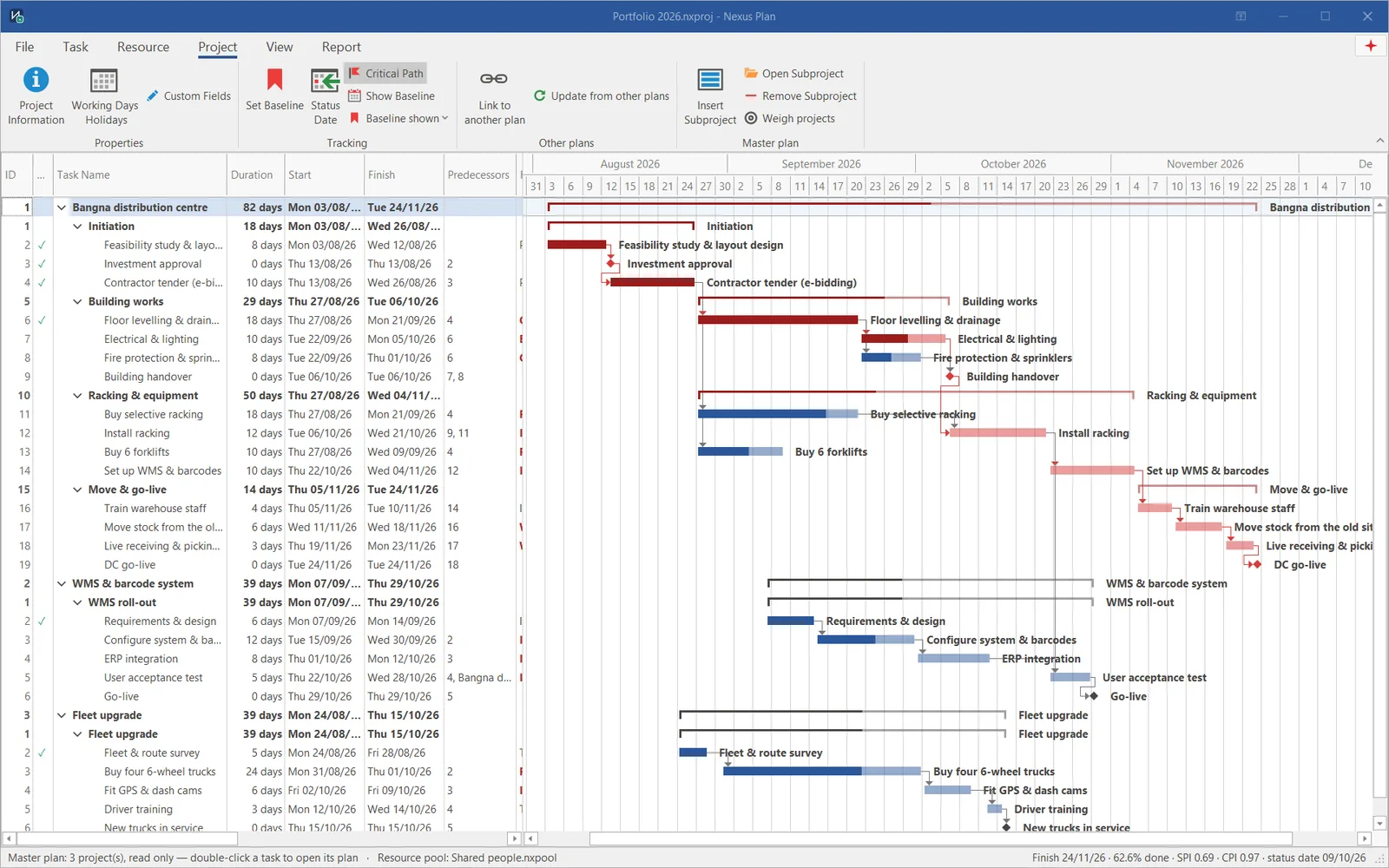
- Combine projects into a master plan with cross-project links
- Executive dashboard: SPI · CPI · budget vs actual vs forecast
- The top risks across all projects
- Double-click to open any subproject
The whole team works on one plan
PM builds the plan
In the app, or from an existing .mpp
Share it
A permanent plan ID, roles: PM · editor · viewer
Everyone sees their tasks
A “My tasks” web page across all plans
Timesheets
Staff log hours, managers approve, hours flow into the plan
Executives see it all
All plans in one view, Board and Gantt on the web
Data stays in-house
Your company's own server, no cloud needed
Compared with MS Project
Ready to bring every plan into one place?
Send us one of your .mpp files — we'll open it in front of you.